
Every random video chat lives or dies by one thing: who you meet when you press Start. The camera, the design and the moderation all matter, but the moment that decides whether you stay is the pairing itself. So this year we did something most chat apps never do: we threw away the matching system that had carried Chaturro since day one and built a new one from scratch.
Our goal is plain. We want Chaturro to have the most advanced and the fairest matching of any chat app. Fast enough that you are talking to a stranger within seconds, smart enough to put you in front of someone you actually have something in common with, and fair enough that nobody gets pushed to the back of the line. Here is what changed, and how it works when you press Start.
Why we started over
The old system did its job, but it had three habits we never liked.
First, it forgot you. If a search went a whole minute without a match, it was quietly ended and started again from zero. Your place in the queue reset, and the people who had been waiting longest got no credit for it.
Second, it was all or nothing. Your preferences were either applied in full or dropped all at once, so you could wait for the perfect match while a good one was available, or get someone random who shared nothing with you.
Third, it was a black box. You saw a spinner and nothing else. Was it looking for someone who speaks your language? Had it given up on that? No way to tell.
The new system fixes all three, from the server that pairs people to the app on your phone.
One search that never starts over
When you press Start, Chaturro now opens one continuous search that stays alive until you meet someone or press Stop. It is never reset behind your back, so the time you have spent waiting keeps counting for you. People who have been waiting longer are favored, which means nobody ends up stuck behind a stream of newer arrivals.
The search also reacts the instant something changes. When someone new joins, or when one of your preferences relaxes, you are re-matched right away instead of waiting for the next periodic sweep. And if the connection hiccups, the app notices a stalled search and repairs it on its own, without you touching anything.
Interests first, then everything else
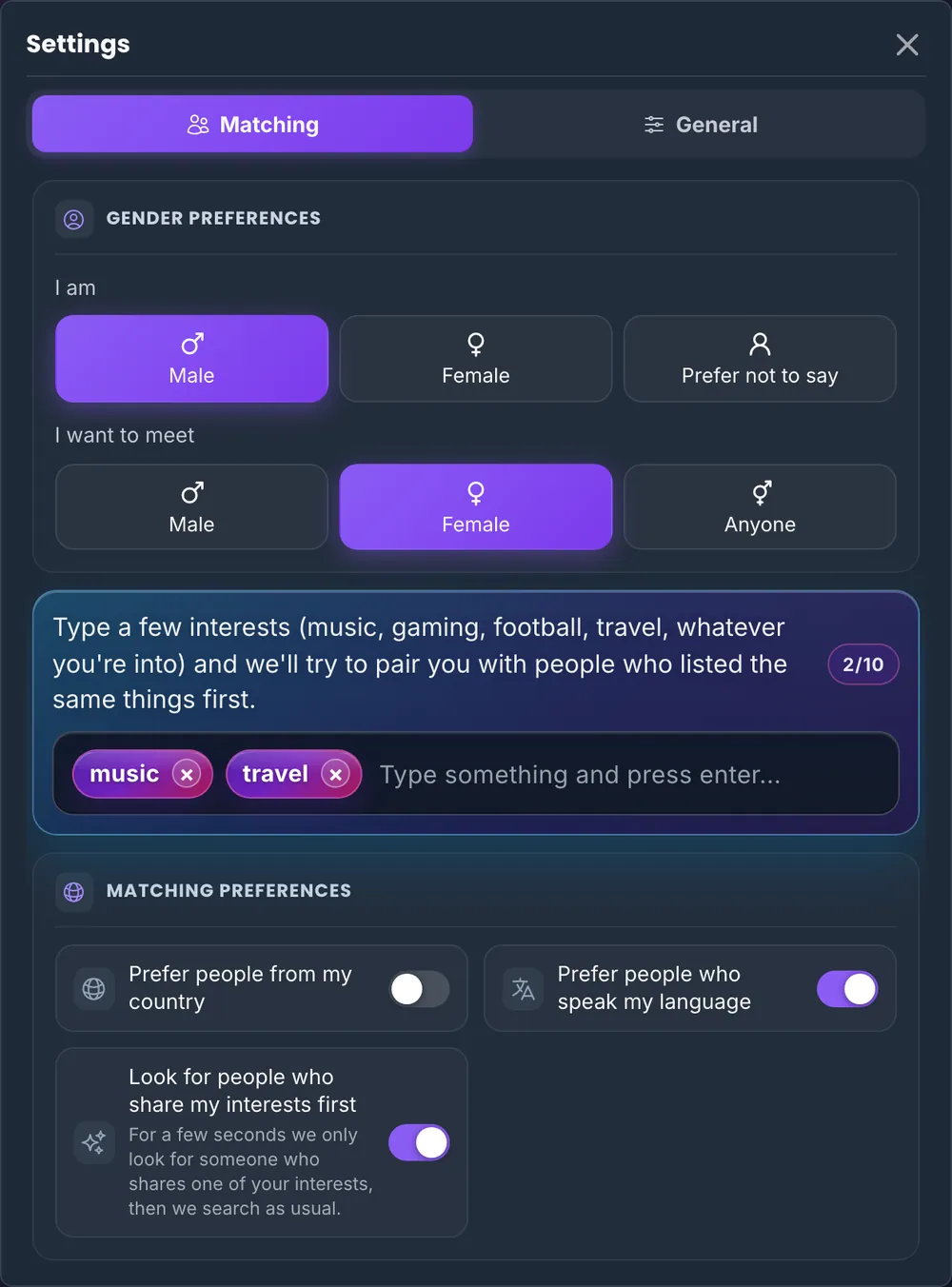
Add a couple of interests in your settings, like music, football, anime or travel, and for the first few seconds Chaturro looks only for someone who shares at least one of them. In that window language and country do not matter: a fellow anime fan from the other side of the world is exactly who we want to put in front of you. It is the feature people loved most about the original Omegle, rebuilt properly.
Interests are matched by meaning, not by exact spelling. Capital letters, accents and simple plurals do not get in the way, so Música, musica and músicas are the same interest. Interests in any alphabet work too, from Turkish and Hindi to Japanese.
If nobody shares an interest within those first seconds, the regular search takes over immediately. You never lose your turn for trying.
Preferences that respect your time
Every preference you turn on works the same way: held for a few seconds, then widened. If you prefer people who speak your language (on by default), Chaturro holds out for a speaker of your language first and then opens up to everyone. Preferring people from your own country is an optional extra, off by default, and it follows the same rule.
Holding a preference for a few seconds is what makes good matches happen at busy hours. Letting it go is what keeps you from waiting forever at quiet ones. And when very few people are online, the search skips the holding altogether and takes the best match available right away. You get a better match when one exists, and a fast one when it does not.
Fair on both sides
A match has to suit both people. If you are holding out for someone who shares your language, and the other person is holding out for someone who shares an interest, you are only paired when each of you fits what the other one is looking for at that moment. Nobody gets matched with someone who is still waiting for something else.
That fairness extends to the gender preference. It is free on Chaturro, as it always has been, with no coins and no premium tier (here is how it works). In the new system, someone of the gender you prefer is placed first whenever one is available. The preference is held only briefly, though, because holding it for longer made everyone wait much longer. It is a preference, not a guarantee, and it is designed that way on purpose.
You can see what the search is doing
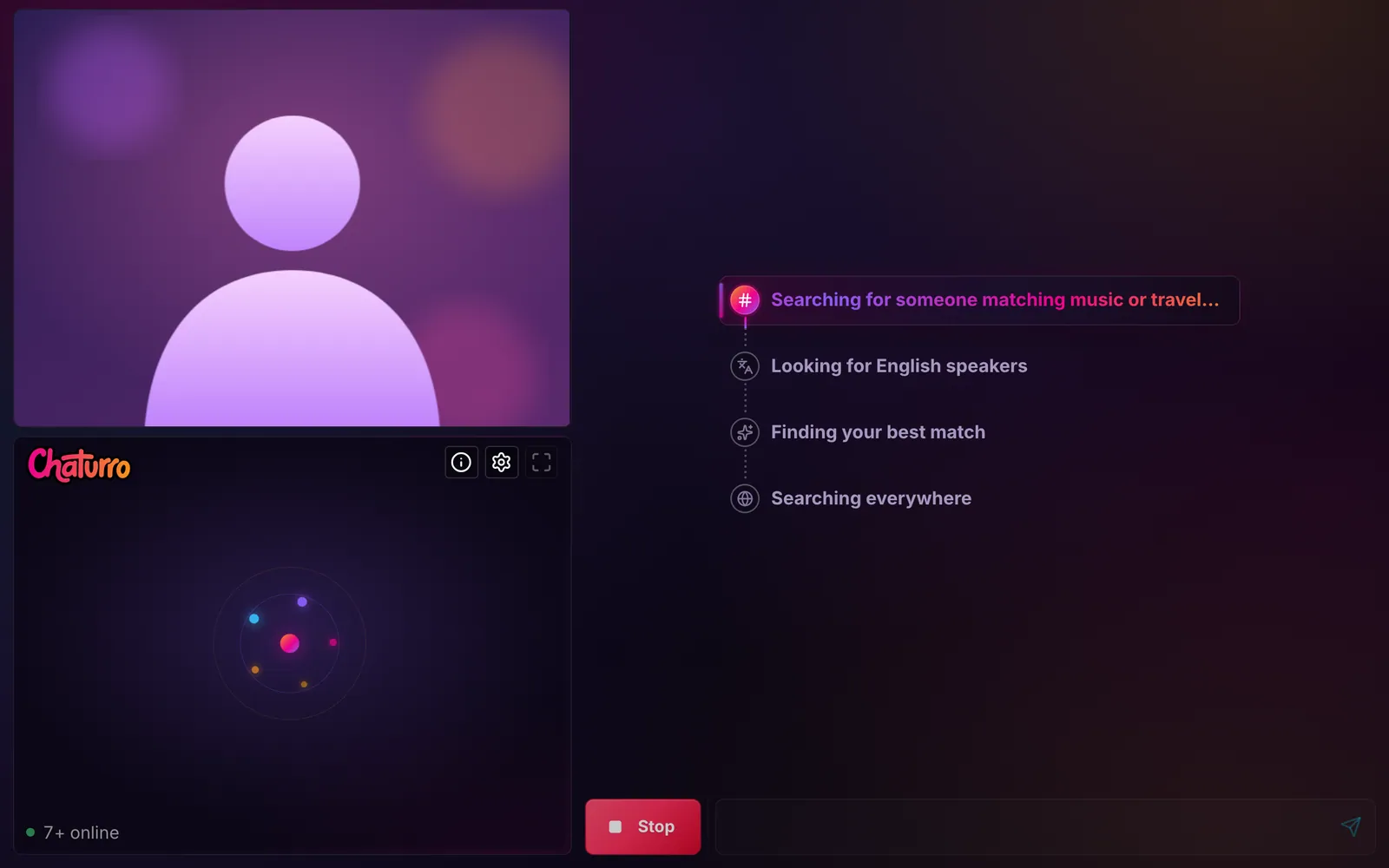
The spinner is gone. While Chaturro searches, the chat shows you every step of your search and highlights the one it is on right now. Steps that are done get a check mark, so you always know where you stand.
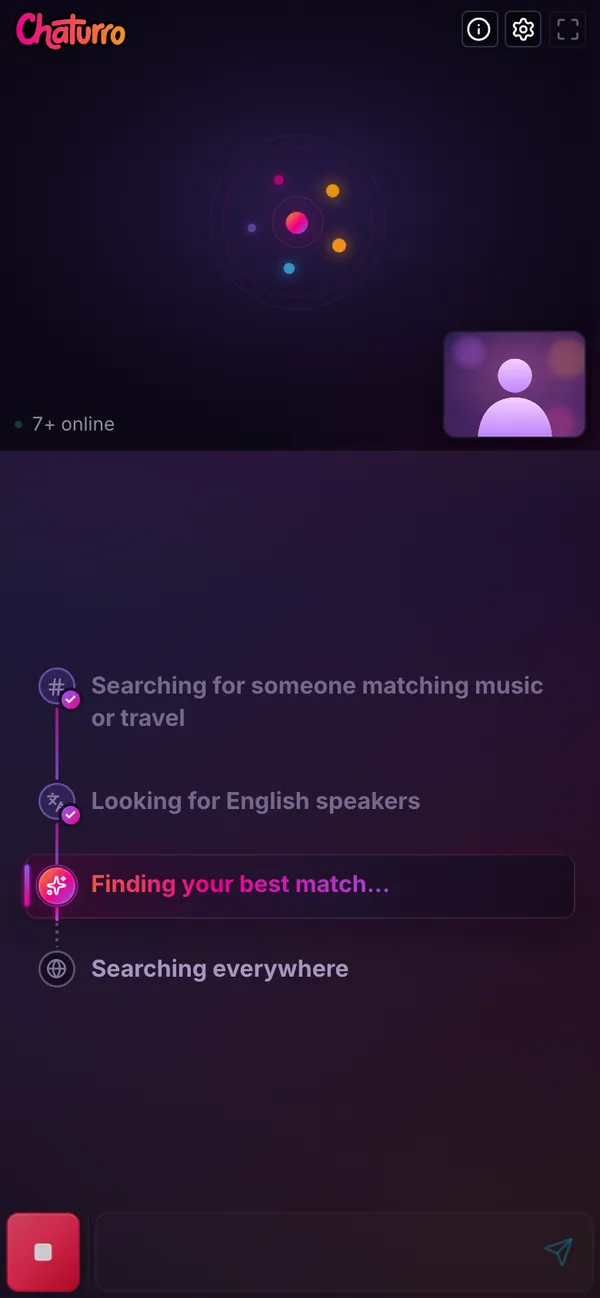
Your search follows your preferences, so it might read "Searching for someone matching music or travel", then "Looking for English speakers", then "Finding your best match", and finally "Searching everywhere". If you have no preferences on, you simply see that you are searching everywhere. On purpose, the status never names the gender you are looking for on screen.
How to set your preferences
- Open the chat. No account and no download needed.
- Tap the settings icon in the video area.
- Choose who you are and who you would like to meet, or keep "Anyone".
- Type a few interests and press Enter after each one.
- Leave "Look for people who share my interests first" on if you want the interest step. It is on by default.
What this means for you
At busy hours most matches now happen within a couple of seconds. More of those first conversations start with something in common, whether that is a language, a shared interest or both. And because your search never resets, waiting longer works in your favor instead of against you.
We keep measuring and fine-tuning these timings, but the foundation is built to last. If you tried Chaturro a while ago, now is a good time to come back and see the difference.
Frequently asked questions
Does any of this cost money?
No. Interests, the language and country preferences, the gender preference and the live search status are all free, with no account required.
Will adding preferences make me wait longer?
Only for a few seconds. Each preference is held briefly and then the search widens, so the longest wait is short. When few people are online, preferences are skipped entirely.
Do I need to change anything?
No. The new matching is already live for everyone. Adding a few interests is the easiest way to get more out of it.
Ready to see it in action? Start a random video chat and watch your search at work.